Pocket Landlord Build Your Town Furniture Tier List
What to buy first for apartments, lofts, and villas - community investment rankings, not official stats.
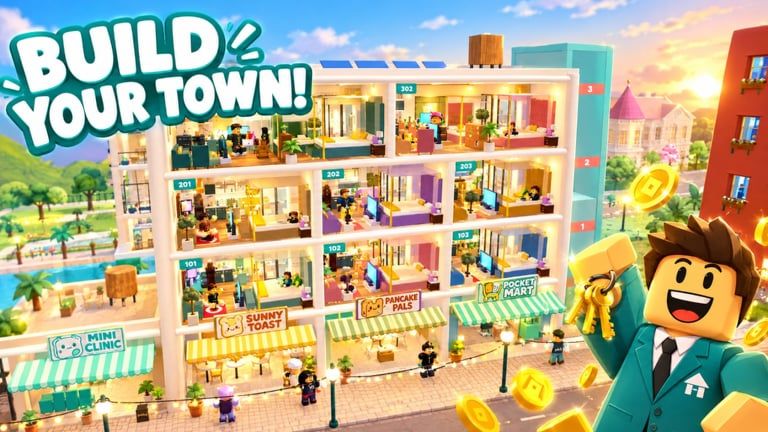
This furniture tier list for Pocket Landlord Build Your Town ranks categories by investment value: how reliably a purchase helps you create rentable, happy rooms without bankrupting the rest of the town. It is a community ranking, not an official UGDEVS spreadsheet. Prices and catalogs can change - always re-check after patches on the Updates hub.
Use this page beside the Decorating guide and Make Money. Play on Roblox Pocket Landlord Build Your Town to validate every S-tier claim with your own rent ticks.
Ranking criteria
We score furniture ideas on:
- Rent readiness - does it help a unit feel complete enough to fill?
- Happiness support - comfort, lighting, and pet-aware spacing matter for dogs, cats, and bunnies.
- Cash efficiency - impact per coin in early and midgame.
- Rebuild speed - usefulness after a prestige reset to Room 101.
- Flex / screenshot value - still real, but secondary to income.
S tier - buy these early and often
Beds and primary sleep anchors. A room without a convincing sleep zone rarely feels tenant-ready. Prioritize a solid bed before sculptural oddities.
Core seating sets. Sofas and chair pairs that define a lounge instantly raise “someone lives here” energy.
Lighting packages. Dark rooms look unfinished even with expensive props. Lamps and ceiling lights punch above their cost in both screenshots and perceived quality.
Basic storage. Dressers, shelves, and cabinets remove the hollow-box feeling and give layouts structure.
S-tier pieces are the skeleton of every apartment, loft, and villa template you will reuse after silver, golden, or diamond prestiges.
A tier - excellent once essentials exist
Dining / table clusters. Great for longer sessions and villa dining wings; slightly less urgent than bed + sofa + light in a micro apartment.
Quality rugs. Rugs define zones in open lofts without building walls. High value when you understand layout - see decorating guide zone tips.
Plant bundles. Soften hard corners, photograph well, and make pet corners feel cared for when space allows.
Functional desks / hobby stations. Help flex zones feel intentional for longer tenant stays.
Business-adjacent seating. Extra chairs and counters that make cafe, gym lounge, or karaoke lobbies feel stocked - coordinate with the businesses tier list.
B tier - situational and theme picks
Statement art and wall decor. Transform a finished room into a branded room. Buy when surplus exists.
Specialty outdoor or balcony sets. Wonderful on villas; weaker if your current unlock is still a tight apartment.
Neon and entertainment props. Perfect near karaoke districts; noisy in calm bunny suites.
Seasonal or expansion souvenirs. SlideCity or Waterpark props are fun - place with intent after reading SlideCity and Waterpark, not as spam filler.
Duplicate luxury variants. A second fancy sofa before a second rentable unit is usually a B-tier (or lower) decision.
C tier - wait for surplus or pure love buys
Giant novelty statues and meme flex pieces. Cool for visitors, weak for first-hour rent.
Near-duplicate color swaps when you already own a working equivalent.
Ultra-clutter kits that block pet paths and tenant movement.
Anything you cannot rebuild from memory after prestige - complexity tax is real.
C-tier is not “bad art.” It is “buy after S/A bills are paid.”
Suggested shopping order per new room
- Bed (S)
- Lighting (S)
- Seating (S)
- Storage (S)
- Rug + table (A)
- Plants / desk (A)
- Art / theme flex (B/C)
If cash is tight, stop at step 4, collect rent, then continue. Redeem Codes before a big catalog binge.
Prestige rebuild notes
Permanent multipliers from P1 through P20 cosmic make every S-tier repurchase more valuable. Keep a mental (or screenshot) kit of your S/A loadout so Room 101 returns to “rentable” in minutes. Milestone planning lives on prestige ranks.
Pets and furniture
Leave lanes wider when units host animals. Avoid C-tier clutter that traps care interactions. More soft skills sit in Tenants & Pets.
How this list can be wrong for you
- You might main a karaoke entertainment town where neon jumps to A.
- You might be one Waterpark build from needing outdoor sets sooner.
- You might value screenshot flex over optimal rent - that is valid for a cozy game; just know the trade.
Revisit the Tier List hub after meta shifts, and ground decisions in Getting Started if you are still learning the shop UI.
Related links
- Decorating - placement and paint
- Make Money - budget splits
- Businesses tiers - venue furniture needs
- Guides hub - full walkthroughs
- Players / badges - collectibles
- Wiki - official links
- Scripts - safety notes only
Buy S-tier skeletons, A-tier polish, B-tier personality, and C-tier joy - in that order - and your Pocket Landlord town will look intentional while the rent keeps moving.
Frequently Asked Questions
Quick answers about codes, prestige, rent, and town building.
Is this an official furniture ranking?
No. It is a community investment tier list focused on rent readiness and rebuild value, not an official UGDEVS chart.
What furniture should I buy first?
Bed, lighting, seating, and storage. Those S-tier anchors make rooms feel tenant-ready fastest.
Are luxury pieces ever worth it?
Yes as surplus B/C buys for theme and screenshots after essentials and a healthy rent buffer.
Does furniture matter after prestige?
Yes. Multipliers amplify rebuilt rooms, so keep an S/A template you can replace quickly in Room 101.
Where do I see business furniture priorities?
Check the businesses tier list for cafe, gym, and karaoke venue guidance alongside this residential list.