Pocket Landlord Build Your Town Tier Lists
S-C rankings for furniture investments, neighborhood businesses, and prestige milestones.
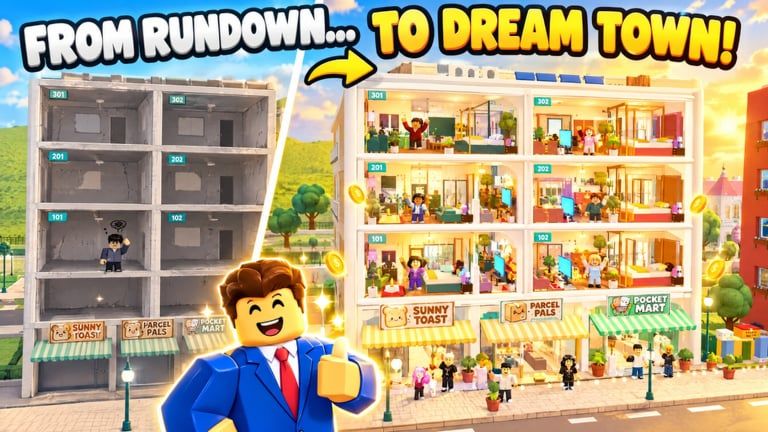
Welcome to the Pocket Landlord Build Your Town tier list hub. These rankings are community-oriented guides, not official UGDEVS balance sheets. Use them to decide what to buy, which neighborhood venue to open next, and which prestige milestones are worth racing - then verify with your own rent results in Roblox.
Play on Roblox Pocket Landlord Build Your Town, and pair every list with the deep-dive Guides hub so tiers never replace fundamentals like paint, tenant care, and collection rhythm.
What we rank here
Furniture investment value
The furniture tier list sorts pieces by how well they support rentable, happy rooms relative to cost and rebuild usefulness after prestige. S-tier items tend to be essential comfort anchors and lighting that make any apartment, loft, or villa feel finished. Lower tiers cover situational flex decor.
Read with the Decorating guide so placement skill multiplies whatever you buy.
Neighborhood businesses
The businesses tier list compares cafe, gym, karaoke, and how those venue fantasies fit early, mid, and late town plans. Businesses diversify income and level neighborhoods; they should not bankrupt residential upgrades.
Timing advice continues in How to Make Money.
Prestige ranks
The prestige ranks tier list highlights milestones from P1 (+50%) through silver, golden, ruby, jade, sapphire, diamond (+500%), and cosmic P20 (+1000%). It is a goal ladder more than a PvP meta.
Full reset rules and the multiplier table live in the Prestige guide.
How to read S-C tiers
| Tier | Meaning in this wiki |
|---|---|
| S | Best default investments for most landlords |
| A | Excellent once basics are covered |
| B | Solid situational or theme picks |
| C | Luxury, novelty, or wait-for-surplus |
Tiers assume a cozy progression fantasy: finished rooms, dogs/cats/bunnies kept happy, and permanent multipliers after Room 101 resets. If UGDEVS patches prices or payouts, expect movement - check Updates, including SlideCity and Waterpark.
Recommended reading order
- New player? Finish Getting Started before obsessing over S-tiers.
- Open furniture when your first surplus appears.
- Open businesses before your first cafe / gym / karaoke purchase.
- Open prestige ranks when rent feels capped.
- Redeem Codes so free rewards alter what you need to buy.
Honesty disclaimer
Pocket Landlord is a living Roblox experience with millions of visits since its 20 October 2026 launch. Catalog items, venue math, and expansion timing can shift. These lists encode reasoned community priorities around rent, happiness, and rebuild speed - not datamined gospel. When two pieces look equal, prefer the one that matches your town palette and pet layouts from Tenants & Pets.
Avoid banned shortcuts. Scripts and auto-farm notes exist for safety context only.
Related hubs
- Guides - walkthroughs that explain why a tier exists
- Players & badges - collectible goals beside efficiency
- Wiki links - official destinations
Jump into a child list below whenever you are staring at the shop undecided. A clear S-tier purchase beats ten tabs of second-guessing - as long as Room 101 still has paint on the walls.
Frequently Asked Questions
Quick answers about codes, prestige, rent, and town building.
Are these official UGDEVS tier lists?
No. They are community rankings for investment value and progression milestones, not official developer charts.
Which tier list should I open first?
Furniture if you are furnishing rooms, businesses before opening a venue, and prestige ranks when planning a Room 101 reset.
Do tiers change after expansions?
They can. Re-check after SlideCity, Waterpark, or shop updates, and confirm with your live rent results.
Should I only buy S-tier items?
Prioritize S and A for income and readiness, then spend surplus on B/C theme pieces you love.