Pocket Landlord Build Your Town Pocket Landlord Scripts
Feature overview, risks, and links to auto progress tools players discuss on YouTube.
Community scripts for Pocket Landlord Build Your Town automate parts of the tycoon loop: collecting rent, placing tenants, pushing resort builds, and claiming idle rewards. This hub explains what those tools claim to do, how executors fit into Roblox scripting culture, and why account safety matters more than a faster Prestige.
We document features for research and awareness. Using third-party injectors can violate Roblox Terms of Use and may lead to bans. Proceed at your own risk.
Featured script guides
- Auto Farm / Auto Progress — AUTO PROGRESS, AUTO TENANTS, AUTO RESORT, AUTO YACHT, AUTO CLAIM feature breakdown with a real gameplay/script video
Start with legitimate progression via Getting Started if you have not finished Room 101 yet. Scripts will not teach you furniture value, tenant happiness, or when Prestige is worth the reset.
What community scripts usually target
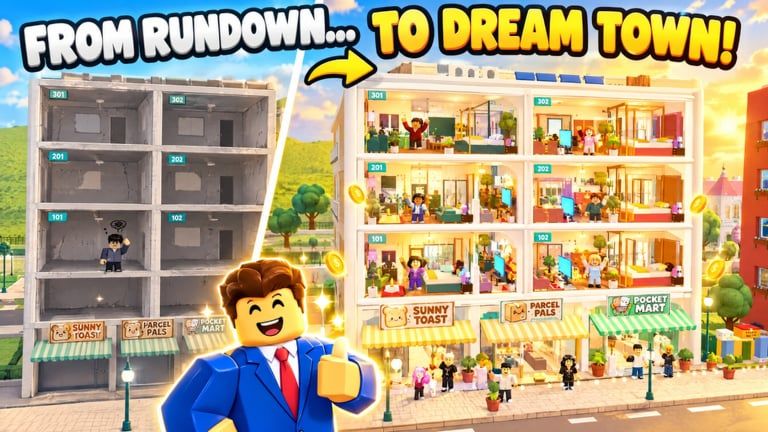
Pocket Landlord’s loop is repetitive by design: decorate, recruit pet tenants (dogs, cats, bunnies), collect rent, expand apartments/lofts/villas, open café/gym/karaoke, then level neighborhoods and expansions like SlideCity and Waterpark. Automators typically advertise:
- AUTO PROGRESS — advance early unlocks and cash milestones with less clicking
- AUTO TENANTS — recruit or manage tenant assignment faster
- AUTO RESORT — push café/gym/karaoke or resort-style builds
- AUTO YACHT — progress yacht or luxury unlock paths when those systems are live
- AUTO CLAIM — vacuum idle rent, daily claims, or timed rewards
Exact toggles differ by script author and patch. Always re-test after UGDEVS ships content—see the Updates Hub.
Executor basics (high level)
Roblox community scripts generally require an external executor running beside the Roblox client. Typical flow creators show on YouTube:
- Join Pocket Landlord on a throwaway or alt if you insist on testing.
- Attach a trusted-looking executor (quality varies wildly; many are malware).
- Paste a script shared in a video description or paste site.
- Execute, then toggle the feature GUI that appears in-game.
This wiki does not host loadstrings, paste links, or download mirrors. Feature lists here come from public video titles and on-screen GUIs only. Prefer watching a full walkthrough such as the one embedded on the Auto Farm page before you touch any file.
Safety warnings you should not skip
- Ban risk: automation is against Roblox rules; detection improves over time.
- Malware risk: “free executor” installers frequently steal cookies, Discord tokens, or wallet data.
- Account value: Prestige badges, ethn-related unlocks, and paid cosmetics are painful to lose.
- Keyloggers in “key systems”: some scripts force shady key websites—never enter your Roblox password there.
- Fake codes bundles: script GUIs sometimes ship expired promo strings; use the Codes Hub for redemption guidance instead.
If your goal is learning the game, skip scripts entirely. Furniture painting, pet tenants, neighborhood levels, and Prestige multipliers reward attention more than AFK macros.
Smarter alternatives to full auto farm
Many players only need better habits:
- Batch rent collection on a timer you control
- Standardize apartment layouts before recruiting pets
- Time Prestige when rent bonus tiers (P1 +50% through high diamond/cosmic ranks) outweigh rebuild pain—details on Badges
- Clear expansion content manually in SlideCity and Waterpark so you understand payouts
Promo gifts, when they exist, remain a safer boost path—check Codes after group shouts.
How this wiki covers scripts
Each script article should state:
- Claimed features in plain language
- A single mid-article YouTube reference when a real video exists
- Explicit safety and ToS warnings
- Links back to normal guides so newcomers are not funneled only into cheats
We will not invent loadstring URLs or name shady script marketplaces inside article bodies. If a video disappears or a GUI changes after a patch, treat the page as historical until updated.
Related pages
Frequently Asked Questions
Quick answers about codes, prestige, rent, and town building.
Are Pocket Landlord scripts safe to use?
No script is fully safe. Executors can ban your account and many downloads include malware. Use alts only if you accept the risk, and never share your main password with key sites.
Does this wiki give working loadstrings?
No. We summarize public feature lists and link educational YouTube videos. We do not host or invent execute strings.
What do AUTO PROGRESS and AUTO CLAIM mean?
AUTO PROGRESS usually advances tycoon milestones automatically; AUTO CLAIM grabs idle rent or timed rewards. See the Auto Farm page for the full feature set covered in community videos.
Can scripts replace Prestige planning?
They can speed grinding, but Prestige still resets you to Room 101 with permanent rent bonuses. Understand badge tiers before you reset—automation will not choose timing for you.