Pocket Landlord Build Your Town Pocket Landlord Codes
Redeem steps, drop sources, and what to do while waiting for the next promo.
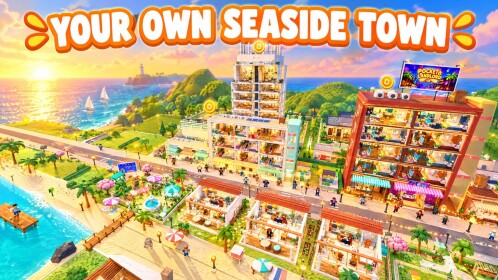
Looking for Pocket Landlord Build Your Town promo codes? As of 15–16 November 2026 there are still no confirmed active codes. UGDEVS | Underground Developers has not published a lasting public code list yet, so this hub focuses on how redemption will work, where codes usually appear, and how to avoid fake lists while Tokyo, Chongqing, and weekend rent events rotate on the experience page.
Bookmark this page and pair it with Getting Started and Controls so you can find the gift menu the moment a real string drops.
Active codes (15–16 November 2026)
| Code | Reward | Status |
|---|---|---|
| — | — | None confirmed |
If a creator or Discord post claims a working code, test it carefully and treat unverified lists as rumors until they redeem in-game. Viral “working codes November 2026” thumbnails are marketing until proven otherwise.
How to redeem codes (when they exist)
Pocket Landlord follows the usual Roblox tycoon pattern: look for a Codes, Gift, or Twitter/X button on the HUD or in a shop/menu panel after you load into your apartment.
- Launch Pocket Landlord Build Your Town and finish the short onboarding if you are brand new.
- Open the codes entry point from the main UI (exact label can change after patches)—see Controls if you cannot find it.
- Type the code exactly—codes are usually case-sensitive and reject extra spaces.
- Confirm and check inventory, cash, furniture crates, or boost items for the reward.
- If the UI says invalid or expired, the code is dead; do not spam retries.
New players should clear Room 101 basics first so menus and currency make sense—see the Getting Started checklist.
Where UGDEVS usually announces codes
When promos appear for Roblox simulation games, they tend to surface in a few places. Check these in order:
- The UGDEVS | Underground Developers group page and group shout (community 430513366)
- Game page banners and event text on the Roblox experience listing—watch for Tokyo, Chongqing, SlideCity / Waterpark, and 2X Rent weekend headlines
- Patch write-ups tracked on our Updates Hub (Tokyo, Chongqing, SlideCity, Waterpark)
- Official social posts tied to the developer group (verify the account before trusting a code string)
We keep official destinations centralized on the Official Links page so you are not hunting random Discord invites.
Event banners worth watching (even without codes)
Codes are not the only free value. Experience banners often signal:
- Tokyo Update sightseeing weeks (hillside homes, cherry blossoms, Lucky Shrine flair)
- Chongqing Cyber City neon pushes and SUPERYACHT spotlight text
- 2X Rent weekends that double the value of finished apartments without any Robux spend
- SlideCity / Waterpark island OPEN tropical drops
When a 2X Rent weekend is live, prioritize collecting on polished units and delay cosmetic splurges until the boosted window ends—see Make Money. When Tokyo or Chongqing banners return, skim the matching Updates articles before emptying your bankroll.
What codes are likely to grant
Based on the game loop—decorate apartments, recruit pet tenants, collect rent, expand into lofts/villas, open café/gym/karaoke/restaurant businesses, and unlock neighbourhoods via Prosperity—promo rewards usually lean toward:
- Cash or rent multipliers that speed early Prestige progress
- Furniture packs or paint unlocks for Room 101 restyling
- Tenant or pet-related boosts
- Limited cosmetics tied to expansions like Tokyo, Chongqing, SlideCity, or Waterpark
Codes will not replace Prestige planning. Permanent rent bonuses still come from resetting to Room 101 through the Prestige track documented on the Players Hub, Badges, and Prestige pages. Optional Gamepasses are separate Robux purchases—never confuse a pass shop with a promo code field.
Expired and fake codes
Expect expired codes after events end. Common failure messages mean the string is wrong, already redeemed on that account, or retired. Never pay for “private codes,” never download random desktop “redeemers,” and never paste unknown scripts just to claim a gift—see the Scripts Hub for safety context if you are researching automation tools separately.
Scam patterns to ignore:
- DMs offering “early Tokyo codes” for Robux trades
- Browser extensions that promise auto-redeem
- Fake group shouts from lookalike accounts
- YouTube descriptions stuffing twenty dead strings from other tycoons
Stay ready between drops
While you wait for the first confirmed promo wave in mid-November 2026 and beyond:
- Join and watch the UGDEVS group (430513366) for shouts
- Scan experience banners daily for Tokyo, Chongqing, and 2X Rent weekends
- Push furniture value and tenant happiness so any cash gift stretches further
- Learn HUD redeem locations via Controls
- Learn Prestige timing before you burn a reset
- Explore open expansions—SlideCity / Waterpark island family, Tokyo, and Chongqing—under Updates and Neighbourhoods
- Skim community tooling only with eyes open via Scripts and Auto Farm
When a verified code appears, this hub will list the string, reward, and status in the table above. Until then, treat every viral thumbnail as unverified marketing and lean on banners plus group shouts for real free value.
Related wiki pages
- Getting Started — first-hour loop and HUD orientation
- Controls — where Codes/Gift menus usually sit
- Updates Hub — Tokyo, Chongqing, SlideCity, Waterpark context for event codes
- Gamepasses — optional Robux passes (not promo codes)
- Scripts Hub — automation overview (separate from legit promo codes)
- Official Links — Roblox game + UGDEVS group shortcuts
Frequently Asked Questions
Quick answers about codes, prestige, rent, and town building.
Are there any working Pocket Landlord codes right now?
As of 15–16 November 2026 there are no confirmed active promo codes. Re-check this hub, the UGDEVS group shout, and Tokyo/Chongqing/2X Rent banners whenever a new event launches.
Where do I redeem a code in Pocket Landlord?
Open the in-game Codes/Gift style menu from the HUD after joining the experience, enter the string exactly, then confirm. Labels can change after patches—see the Controls guide if you cannot find it.
Where does UGDEVS post new codes?
Most often on the Underground Developers Roblox group (430513366), game page event text (Tokyo, Chongqing, 2X Rent, SlideCity/Waterpark), and related social posts. Cross-check against this wiki’s Updates Hub before trusting random video descriptions.
Do codes survive Prestige resets to Room 101?
Consumable cash and crates are usually spent or opened before you Prestige. Permanent Prestige rent bonuses are separate from promo codes—see the Badges page for Prestige multipliers.
Are 2X Rent weekends the same as codes?
No. 2X Rent is an event banner boost. It can land with or without redeemable code strings—always check both the Codes hub and the live experience events panel.