Pocket Landlord Build Your Town Auto Progress & Auto Farm
Feature checklist from community auto-play scripts—and why most players should still grind manually.
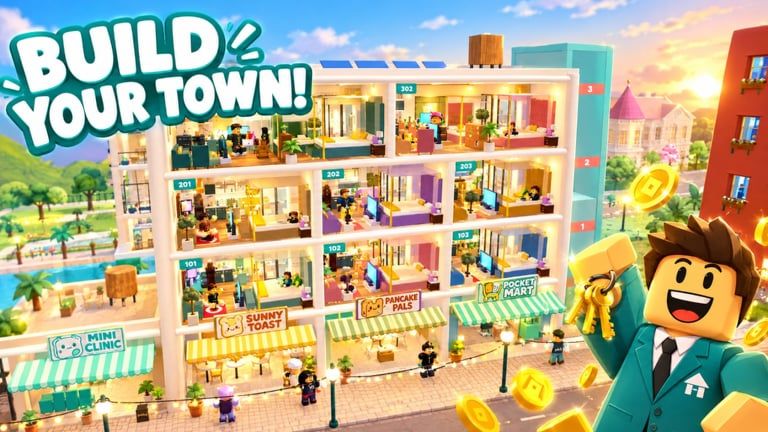
Players searching for a Pocket Landlord Build Your Town auto farm usually want fewer clicks between rent ticks, tenant recruitment, and expansion chores. Community videos advertise multi-toggle GUIs with names like AUTO PROGRESS, AUTO TENANTS, AUTO RESORT, AUTO YACHT, and AUTO CLAIM. This page documents those feature claims, shows a real YouTube showcase, and spells out the ban and malware risks.
This is not a download mirror. We do not publish loadstrings. Read the Scripts Hub overview first if you are new to Roblox executors.
Quick feature map
| Toggle (as advertised) | What it usually automates |
|---|---|
| AUTO PROGRESS | Early unlocks, cash goals, and tycoon stage pushes |
| AUTO TENANTS | Recruiting or seating pet tenants faster |
| AUTO RESORT | Café / gym / karaoke / resort-style business loops |
| AUTO YACHT | Yacht or luxury progression steps when available |
| AUTO CLAIM | Idle rent, timed claims, and AFK reward pickups |
Authors rename buttons after patches. Always match the on-screen GUI to the current UGDEVS build rather than an outdated thumbnail.
Watch a real auto-progress showcase
The video below demonstrates a community script advertising auto progress, tenants, resort, yacht, and claim style automation. Use it to understand the GUI—not as a promise that every paste still works after SlideCity or Waterpark updates.
How these farms interact with the real loop
Pocket Landlord rewards thoughtful decoration and tenant happiness as much as raw AFK time. A script that only mashes claim may ignore:
- Furniture value and paint choices inside apartments, lofts, and villas
- Pet tenant preferences (dogs, cats, bunnies) that affect vibe and payouts
- Neighborhood level gates before new districts open
- Expansion objectives in SlideCity and Waterpark
- Prestige timing when resetting to Room 101 for permanent rent bonuses
If you automate blindly, you can burn a Prestige with a weak layout and waste the permanent multiplier. Study Getting Started and Badges so you know what “good” progress looks like without a GUI.
Suggested manual checklist before any executor
- Finish tutorial prompts and unlock basic furniture tools.
- Stabilize rent on your starter floors with clean decoration.
- Recruit a balanced pet tenant mix instead of spam-filling empty rooms.
- Open at least one side business (café, gym, or karaoke) so you understand resort income.
- Note your current Prestige rank and rent bonus percentage.
- Decide whether you are testing on an alt (recommended) or risking a main.
Only after that checklist should you even consider attaching an executor—and many players stop here permanently.
Safety, malware, and Roblox ToS
- Against the rules: injecting scripts violates Roblox Terms of Use.
- Ban waves: simulation tycoons are frequent targets when anti-cheat updates land.
- Stolen sessions: fake executors harvest
.ROBLOSECURITYcookies. - Key system scams: “get key” pages that ask for Roblox login are phishing.
- Discord nitro bait: script servers often upsell malware packed as “premium unlock.”
Never paste unknown code into Studio plugins on a machine you care about. Prefer watching showcases, then closing the tab.
After a patch: re-verify everything
UGDEVS ships expansions and balance tweaks that break brittle automations. When Updates lists a new island or Prestige change:
- Assume AUTO RESORT paths need remapping
- Re-check AUTO YACHT if yacht content moved or locked
- Confirm AUTO CLAIM still hits the correct proximity prompts
- Disable the script before Prestige so you control the Room 101 reset
Promo codes—if any go live—are redeemed in the normal UI, not inside a farm GUI. Keep Codes bookmarked separately.
Ethical / fair-play note
Pocket Landlord servers cap around six players. Heavy autofarming can degrade shared spaces, spoil showcase towns, and ruin co-op decorating sessions. If you play with friends, agree on rules before anyone attaches a tool.
Related pages
- Scripts Hub — broader safety framing
- Getting Started — legitimate first-hour route
- Codes Hub — promo redemption (when codes exist)
- Updates Hub — patch context that breaks scripts
- Players Hub — badges, tenants, community goals
Frequently Asked Questions
Quick answers about codes, prestige, rent, and town building.
Which auto farm features are most common for Pocket Landlord?
Community GUIs frequently advertise AUTO PROGRESS, AUTO TENANTS, AUTO RESORT, AUTO YACHT, and AUTO CLAIM. Names vary by author and may change after updates.
Will you give me the loadstring?
No. This wiki only documents features and risks. We do not host, invent, or mirror execute strings.
Can auto claim handle Prestige for me?
Do not let a script Prestige blindly. Resets return you to Room 101; you want a deliberate permanent rent bonus, not an accidental wipe mid-expansion.
Is it safer on an alt account?
Alts reduce pain if banned, but malware can still compromise the device. An alt does not make injecting legal or risk-free.